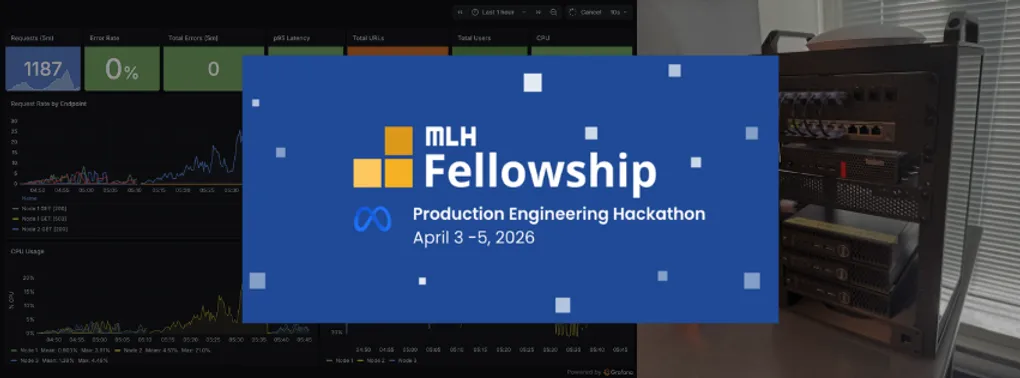
My experience joining MLH Production Engineering Hackathon
When I first saw the newsletter announcement from MLH about this hackathon, I thought, “hmm, this is an interesting concept.” I forwarded the link to a few friends and registered, thinking that since it’s online, we could probably just drop out if we didn’t like it.
A few days before the event, we received the Quest Log — a list of tasks organized into 3 main categories: Reliability Engineering, Scalability Engineering, and Incident Response, along with a template repo that was just a blank Flask app.
From reading the Quest Log, we came up with a game plan. One of our team members had just bought 3 Dell Optiplexes for his homelab, so we knew that a self-hosted Kubernetes cluster would be the centerpiece of our project. Running on bare metal felt like it would impress the judges on the video. Since we decided to run our own hardware, we mostly picked open-source tools we could self-host. We settled on Grafana, Prometheus, and Alertmanager for our observability stack. For caching, we went with Valkey as it’s fully open-source. For the database, we didn’t get to choose since the template provided PostgreSQL (though I think that was the right call anyway). For our CI/CD pipeline, we still used GitHub Actions and even though it’s a hosted service, we used it with a self-hosted runner, which let us deploy directly to our local K8s cluster.
For what we needed to build: a URL shortener. The organizing team provided a list of endpoints that had to pass their automated test suite, which was the first time I’ve seen this in a hackathon. For this part, I fed the full spec to Claude Opus 4.6 and it produced a working implementation.
I mainly worked on setting up our K8s cluster, starting from installing Ubuntu on our 3 machines and setting up K3s, which is a K8s distro that we chose (more like what Claude recommended to us). We also set up Tailscale to let everyone connect to the cluster from outside our friend’s dorm. Since we had 4 members and Tailscale’s personal plan was limited to 3 users at the time, we upgraded to the Personal Plus plan. Funnily enough, a few days after the hackathon, Tailscale retired the Personal Plus plan and increased the free tier to 6 users. Our friend was happy to support Tailscale either way, though.
The challenge I faced was during load testing. The load test that ran fine on a laptop was causing errors in the K8s cluster. Initially, I thought it was a resource issue, so I tried increasing the resource limits on the pods, but that didn’t make sense given it worked fine on a laptop running a dev server with a single worker, while our production container had multiple Gunicorn workers. We had some headroom, so we bumped the limits anyway. That didn’t solve the problem.
My second thought was a networking issue, maybe there was some glitch causing errors when a worker on one node queried the database on another. I didn’t think that was it either, since I regularly connect to PostgreSQL running in the cloud over a much worse connection than our local cluster setup. To isolate the problem, I pinned everything to a single pod and a single node. Still didn’t fix it.
Up to that point, we had been testing with 50 simulated users. Out of ideas, I figured we might just submit load test results from a laptop which honestly, might have performed better than our K8s cluster. (I’m running an AMD Ryzen 9 5900HX with 32 GB of RAM, while each Dell Optiplex has an Intel Core i5-9500T with 8 GB.)
So I started cranking up the number of simulated users to see what would happen. At some point, I started hitting the same error on my laptop too and what I noticed was that it usually occurred at the very start of the test, as the user count was ramping up. Looking at the application logs, I saw psycopg2.OperationalError: lost synchronization with server. After consulting with our best engineer Claude, we found that the problem was somewhere I never expected: the code itself. The template provided create database connections lazily, so when a surge of requests hit, they all tried to open connections simultaneously, causing errors. I fixed this by implementing connection pooling and pre-warming the pool at app startup so it was ready to handle requests immediately.
Technically, I could have just slowed the ramp-up rate in the load test and it probably would have worked, but implementing connection pooling was the right fix. After deploying the updated code to our K8s cluster, everything ran flawlessly. It turned out that neither resource limits nor networking had ever been the bottleneck.
Our team won the Reliability Track and 2nd place overall, which I’m really happy about. Especially since this was our first time working with K8s, and we did it on bare metal. This was also my second hackathon where I barely wrote any code myself, with most of it handled by Claude Code. It makes me think a lot about what the future of software engineering will look like, especially for people early in their careers like me.
In the end, I really enjoyed this hackathon. It’s a refreshing take on the format where we focus on engineering and not so much on “business ideas”, and it let me try out new tools like K8s and Grafana, something I never imagined touching in other hackathons.
Finally, a big shout-out to the organizing team for making this possible and for being so active in answering questions on Discord and the Q&A forum. One minor complaint: I think the instructions around what we needed to build and how to make it work with the automated test suite could have been clearer. I saw several people in the Q&A asking which parts of the template they were allowed to modify so it would still run in the test environment. That said, I can’t wait to see more hackathons like this in the future.
Check out our presentaion video.