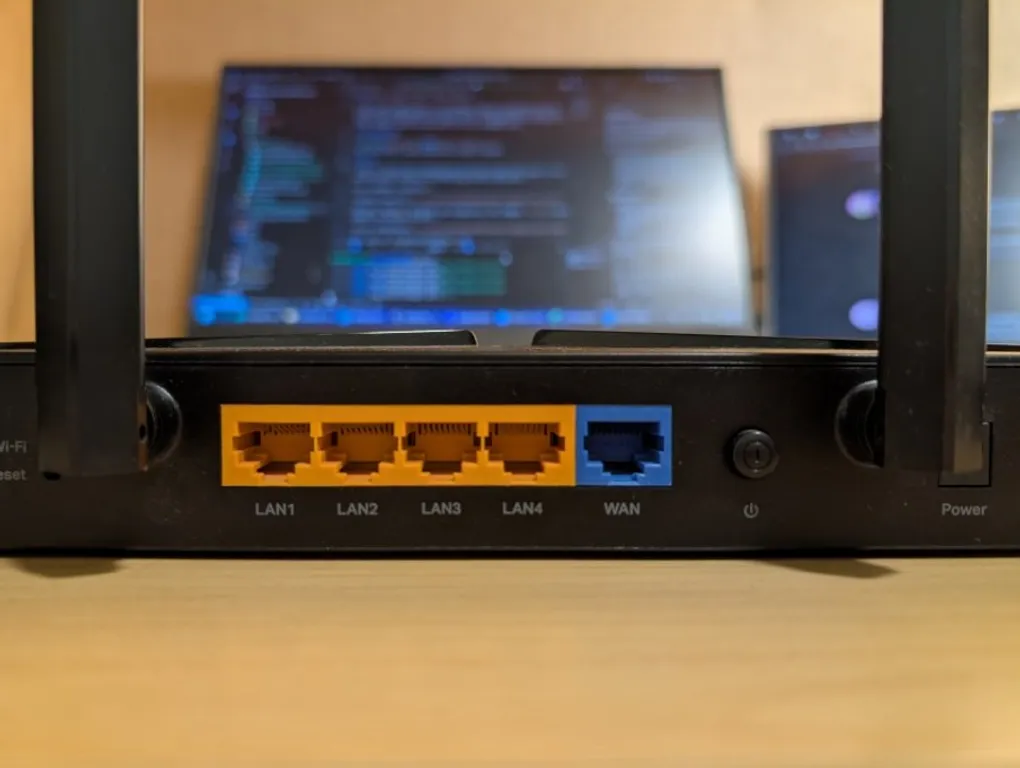
Use OpenWrt router as managed switch
In my current network setup, I use an OPNsense router for routing and a TP-Link Archer AX23 running OpenWrt as an access point. OPNsense provides two VLANs, and I want to use the LAN ports on the OpenWrt device as a managed switch: one port as a trunk (tagged) uplink and other ports as access (untagged) ports.
Existing Guide
This video offers a great explanation of VLANs in OpenWrt.
How to
Note: Be careful when following guides online—many target older OpenWrt versions (pre-DSA, before the move to the Distributed Switch Architecture).
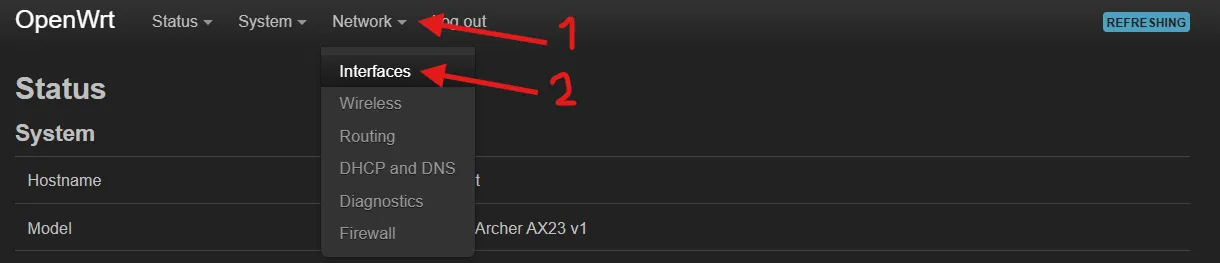
Go to Network → Interfaces.
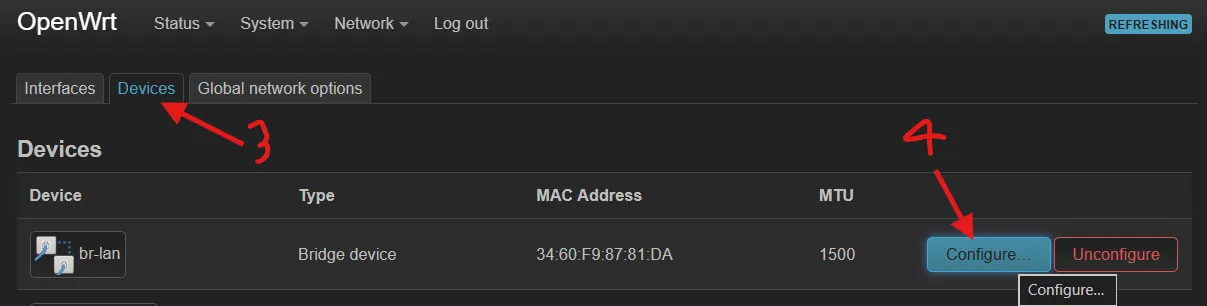
Then open Devices and select your bridge device (for example, br-lan), which contains the router’s LAN ports.
Next, open the Bridge VLAN filtering tab.
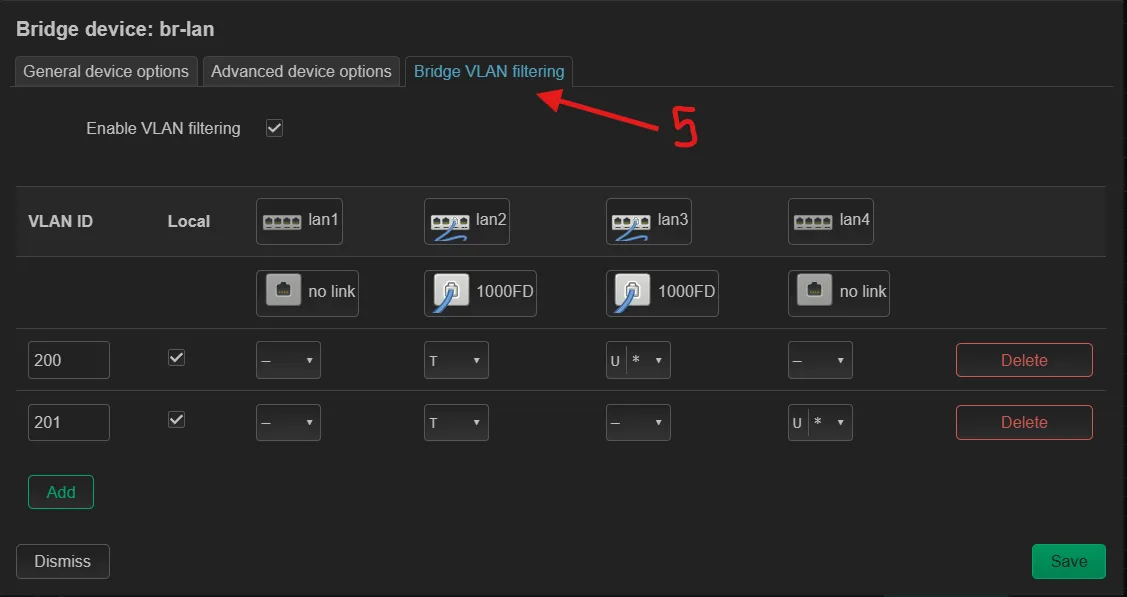
Add the VLAN IDs you need (in my case, 200 and 201). Then:
- Set Tagged (T) on the port you want to act as the trunk/uplink (for example,
lan2). - Set Untagged (U) on access ports. Devices connected to these ports will be placed into that VLAN, but they won’t need to understand VLAN tagging.
Also enable Is Primary VLAN on the access port so traffic is tagged correctly before it is forwarded.
That’s it—your OpenWrt device can now act as a simple managed switch.