Create a Guest Network on OPNsense
Goal
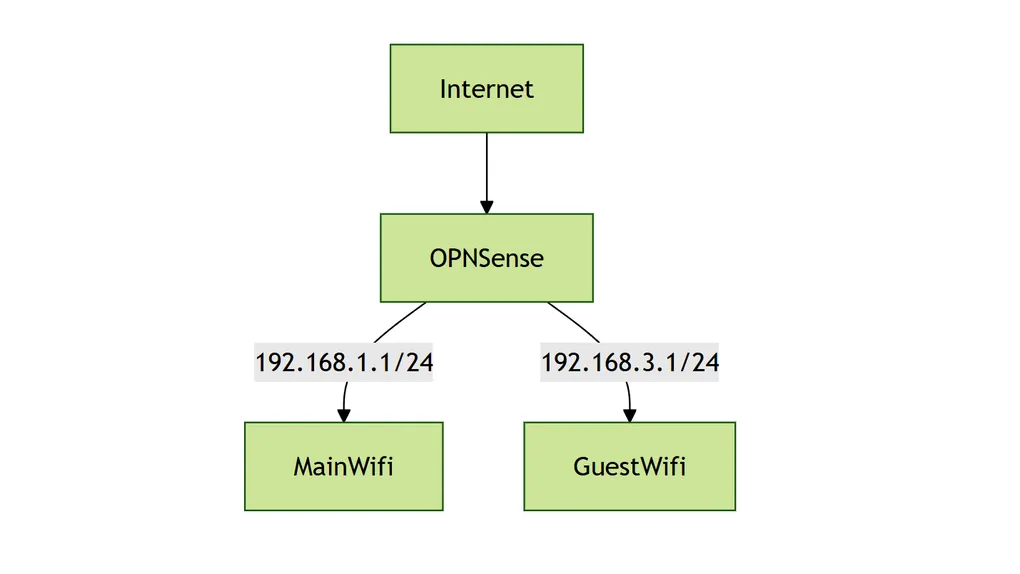
These two networks should be separated, and they shouldn’t be able to route to each other. I’ll assign a different interface to each network, and each interface will be connected to an access point.
graph TB
Internet-->OPNSense
OPNSense-->|192.168.1.1/24|MainWifi
OPNSense-->|192.168.3.1/24|GuestWifi
By default, OPNsense routes all networks together (as it is a router!). To stop traffic from crossing between networks, we need to set up firewall rules to prevent that.
Existing Guide
Setup a Guest Network - OPNsense docs
Isolating our Guest Wireless Network in OPNSense
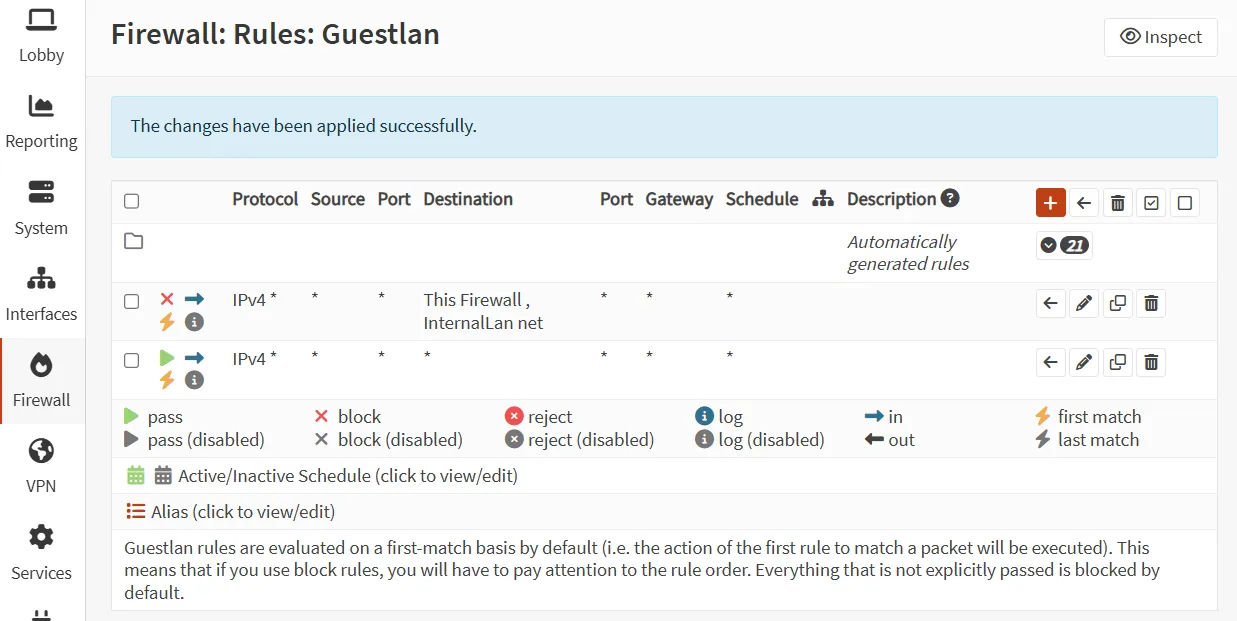
From the existing guides, it seems the approach is to create a block rule to prevent GuestWifi from reaching the other network(s). Personally, I think this is prone to configuration mistakes—you might miss a LAN when configuring rules or when adding a new network. From chatting with ChatGPT, another approach seems to be blocking all traffic that tries to reach local IP address ranges.
Note:
LAN net -> All device in LAN network
LAN address -> Address of the firewall in that network
Reference: OPNsense forum
There’s a Destination called This Firewall which make the OPNsense web GUI not accessible, make sure to include that as well.